
Enable notifications
Jolbar can notify you about a new request even when the app is closed.
01
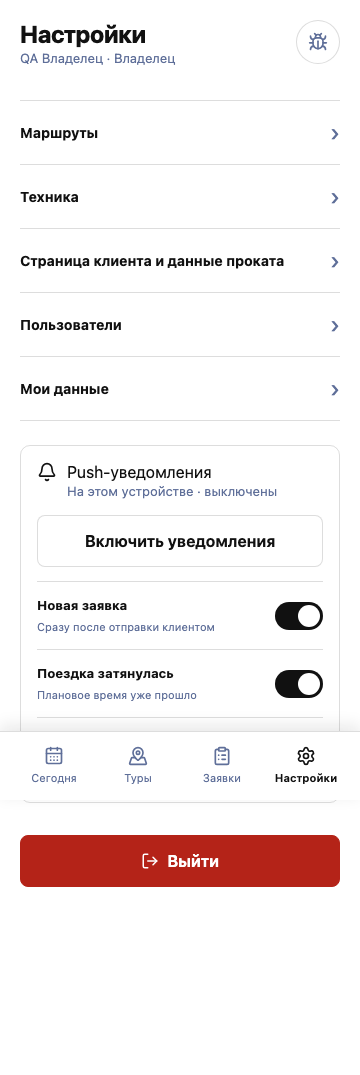
Open settings
Open “Settings” in the bottom Jolbar navigation.
02
Allow notifications
Select “Enable notifications” and confirm the browser permission.
03
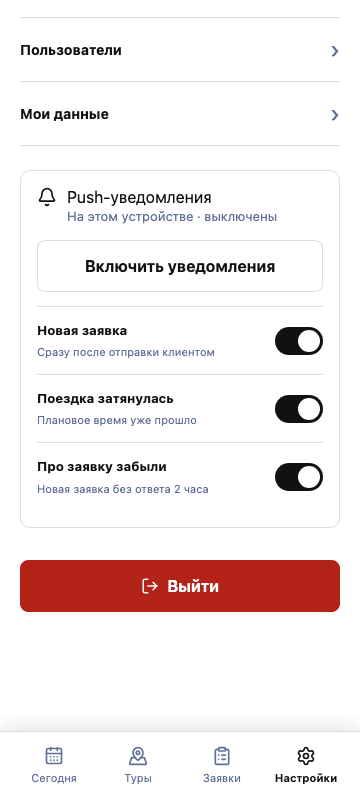
Check your subscription
Enable the events you need: new request, delayed trip, and unanswered request.
If notifications do not arrive
- Check the browser notification permission.
- Open Jolbar on this device again.
- Disable and re-enable the subscription.